| |||||||||||||||||||||||||||||||||||||||||||||||||||
| |||||||||||||||||||||||||||||||||||||||||||||||||||


| |||||||||||||||||||||||||||||||||||||||||||||||||||
| |||||||||||||||||||||||||||||||||||||||||||||||||||
| |||||||||||||||||||||||||||||||||||||||||||||||||||
| |||||||||||||||||||||||||||||||||||||||||||||||||||

| ||||||||||||||||||||||||||||||||||||||||||||||||||||||||
| ||||||||||||||||||||||||||||||||||||||||||||||||||||||||


I sure am glad it's changed. Thanks go out to Jeremy Dobson at GovConnection for sending me this ad.
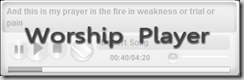
We just launched our new Worship Player. This is a FMS backed Flash player that includes lyrics so the congregation can learn new songs. This player was built for me a consultant I found on Guru.com. Thanks so much Andrew Pankov for building this for our church. We are launching this player today with three songs, and will be continually expanding this as we move forward.
http://resources.calvaryccm.com/files/WorshipPlayer/index.html
Check out the Worship Player and let me know what you think!
The Worship Player is based on XML files that our Worship Team puts together. It is a pretty basic format that time stamps a line of lyrics. The player reads the XML file and displays the proper lyric at the specified time.
Western Digital announced today a 2TB Hard Drive. Read More over at ZDNet http://news.zdnet.co.uk/hardware/0,1000000091,39603775,00.htm
Or on engadget:
http://www.engadget.com/2009/01/27/western-digitals-2tb-caviar-green-hard-drive-launches-gets-pre/

We are preparing to open our 3rd campus and are evaluating some new technology to use. Our first multi-site we used Streambox to accomplish the live video feed. This time and 2 years later there are other options. One of those options is HaiVision.
They have graciously loaned a pair of thier 1060 6 slot chassis with 2 SDI blades each.
Here is the 1060 Box in my House. We have been using my house as the test campus. It has been equipped with the same network connection as the multi-site will have, and it is a good test of being outside our firewall.

For the test we have 2 different video signals being transmitted in sync over 3mbit each... So about 6.4Mbit of bandwidth and we are getting pretty close to broadcast quality video with two feeds. Here you can see the test setup in my living room. The two feeds are split on the screen. Audio is pretty good too!

Next test: Watch these video signals on some Huge Screens at the church. The network is working, so let's blow up the image and check the quality.
Ahh more testing to do!


